Türkçe
 English
 Português
 Polski
 Español
 Magyar
 Deutsch
What is a stem?
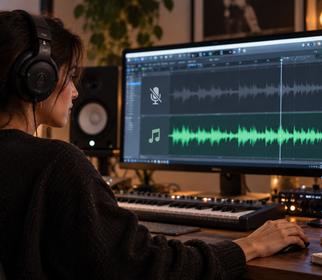
A stem is an audio file containing one instrument group from a song. In the studio each instrument is recorded separately, but the song we hear is all of them mixed together. AI source separation models analyze that mix and split each instrument back into its own file.
2 stems or 6 stems?
| Option | When |
|---|---|
| 2 stems · vocals + music | Karaoke backing track, acapella, vocal practice |
| 6 stems · instruments | Instrument practice, remixing, transcription, mix analysis |
If you only need to remove vocals, the remove vocals guide is a better fit.
Step by step
- Open Vocal Remover.
- Upload your song or pick one from your library (MP3, WAV, M4A, AAC; up to 20 MB).
- Choose “6 stems · instruments”.
- In a few minutes the six stems appear one under another; listen to each separately.
- Download the parts you need.
Bring your song
Ideas for musicians
- Bassists: Learn the bass line from the bass stem, then play along with everything else.
- Drummers: Remove the drums and play the song yourself.
- Guitarists: Slow down the guitar stem to work out riffs.
- Producers: Take the drums and bass and build a new remix.
- Teachers: Let students hear one instrument’s role in the arrangement on its own.
Quality depends on the source; instruments in the same frequency range (like electric guitar and synth) can sometimes land in “other”. For rights, see our commercial use guide.
Frequently Asked Questions
How many stems can I split a song into?
On Song Go you can choose 2 stems (vocals + music) or 6 stems (vocals, drums, bass, guitar, piano, other).
How clean are the stems?
Modern models do very well on most songs; dense, heavily compressed mixes can leave small artifacts. A high-quality source helps.
Can I use the stems in a remix?
For your own songs or songs made on Song Go, yes. For other people’s songs, you need the rights holder’s permission.